Fence quoting, estimating & visualisation

Fence quoting software that wins the job before you leave the driveway

Fencely helps Australian fencing contractors photograph the yard, draw the fence on the photo, see a live price estimate and send a branded PDF quote — all in minutes, on the iPad in your hand.

  • Photo to priced quote in minutes
  • Five fence styles, Colorbond colours
  • Branded PDF in one tap

First built for an Australian fencing company · Month-to-month · No lock-in contract

A real screen recording of the Fencely app, with a sample customer and a demo yard photo.

Video transcript

The demo is a silent screen recording of the real app, with on-screen step captions. Customer details and prices are sample figures from a demo rate card; the example total on the PDF is $4,345 including GST.

  1. 0:00 – Start with the customer's yard photo. The Fencely design canvas is empty, with an "Initialize property backdrop" prompt and Upload Photo, Use Demo Yard and Map Measure buttons. Choosing the demo yard loads a photo of a terraced garden with white steps and a lawn onto the canvas.
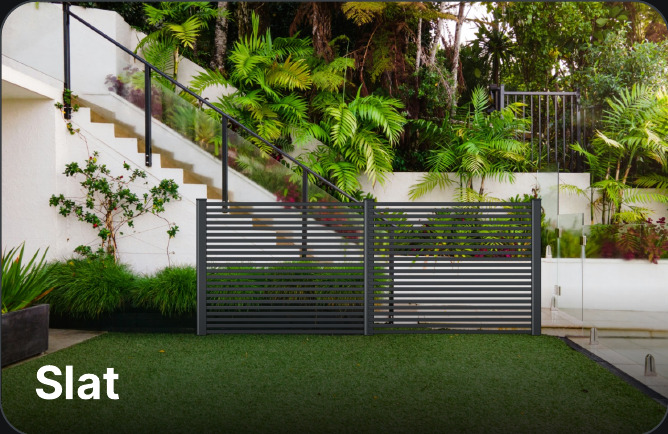
  2. 0:03 – Draw the fence right on the photo. Pressing Add Right places a dark slatted fence section across the lawn, with round handles on the posts that can be dragged to follow the garden path.
  3. 0:07 – Enter the fence length. The Tools panel opens on the Frontage tab, which shows the property frontage as "Not set". Typing 15 sets it to 15 metres, so the quote is based on a real measurement.
  4. 0:12 – Live price from your own rate card. The Price panel opens beside the photo with an itemised cost breakdown (boundary panels, structural post upgrades, fast-set concrete, certified installation crew) and a "Calculated Bid Proposal" total. Setting one single gate adds a premium swing gate line and the total updates instantly. Buttons below the total read Compile & Request Proposal, Generate PDF Quote and Share.
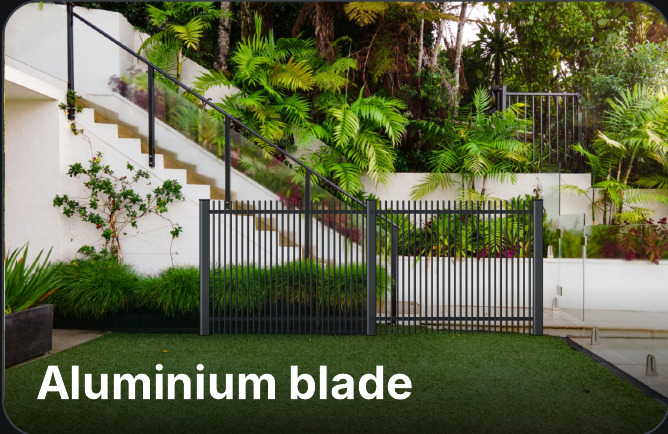
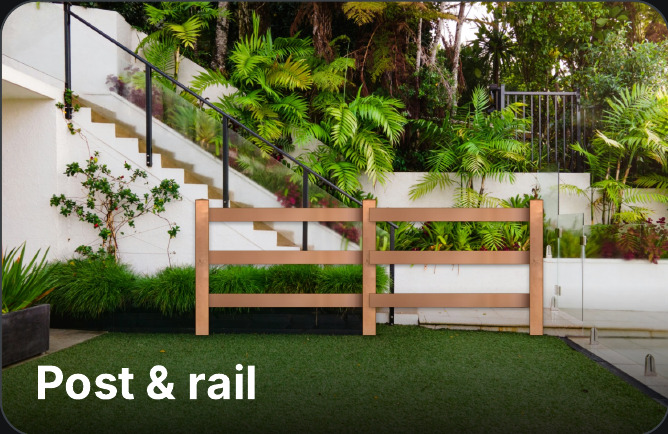
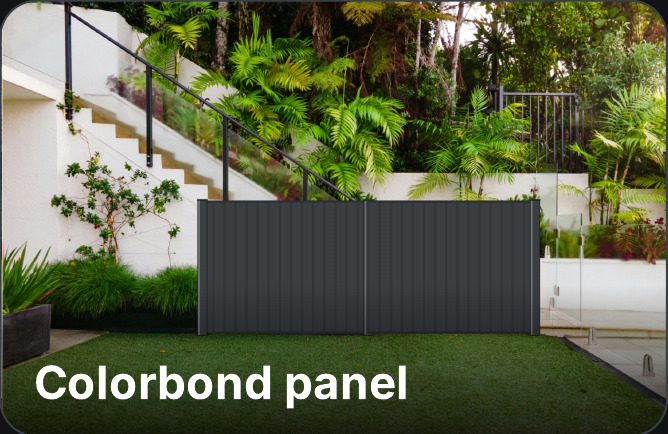
  5. 0:19 – Switch style and colour in one tap. The Fencing tab lists five fence materials: aluminium slat, aluminium blade, post and rail, Colorbond solid panel and aluminium perforated panel. Picking Aluminium Blade redraws the fence on the photo. The Colours tab then shows a Colorbond-style colour palette and Black is selected.
  6. 0:26 – Send the proposal in seconds. Compile & Request Proposal opens a proposal window that summarises the design (material, height, colour, length and total) above a client form. Sample customer name, email, mobile and site address are filled in and the design is saved. A "Proposal generated" screen then shows the proposal ID and estimate, saved to the proposal log.
  7. 0:36 – Branded PDF quote, ready to send. The finished quote is an orange-and-white branded PDF with the customer details, a fence specification (material, height, colour, length, gates), an itemised cost breakdown and a highlighted total including GST.
5fence styles, drawn on your customer's own photo
1 tapfrom finished design to a branded PDF quote
Your ratesevery price comes from your own rate card
AUbuilt for GST, metric measurements and Colorbond

The fastest quote usually wins the job

By the time you've driven home, measured off memory, typed up a plain-text quote and emailed it two days later, your customer has already had someone else stand in their yard and show them exactly what they'll get. Slow, generic quotes don't just lose on price — they lose on trust. Fencely lets you quote on the spot, while you're still the one standing in the driveway.

MeasureSketchSpreadsheetRetypeSend. Hope.

The customer can't picture it

Materials, colours and gates are hard to explain on paper. Hesitation turns into "we'll think about it".

Quotes live in spreadsheets

Measurements, prices and customer details sit in different places, so work is repeated between the yard and the office.

Every extra step costs jobs

The contractor who replies first with a clear picture and a firm price is the one who gets the work.

How it works

Three steps, start to signed

No training day, no manual. If you can take a photo, you can build a quote that wins the job.

01

Snap the yard

Take a photo of the client's fence line — or drop in a satellite view. That photo becomes your canvas.
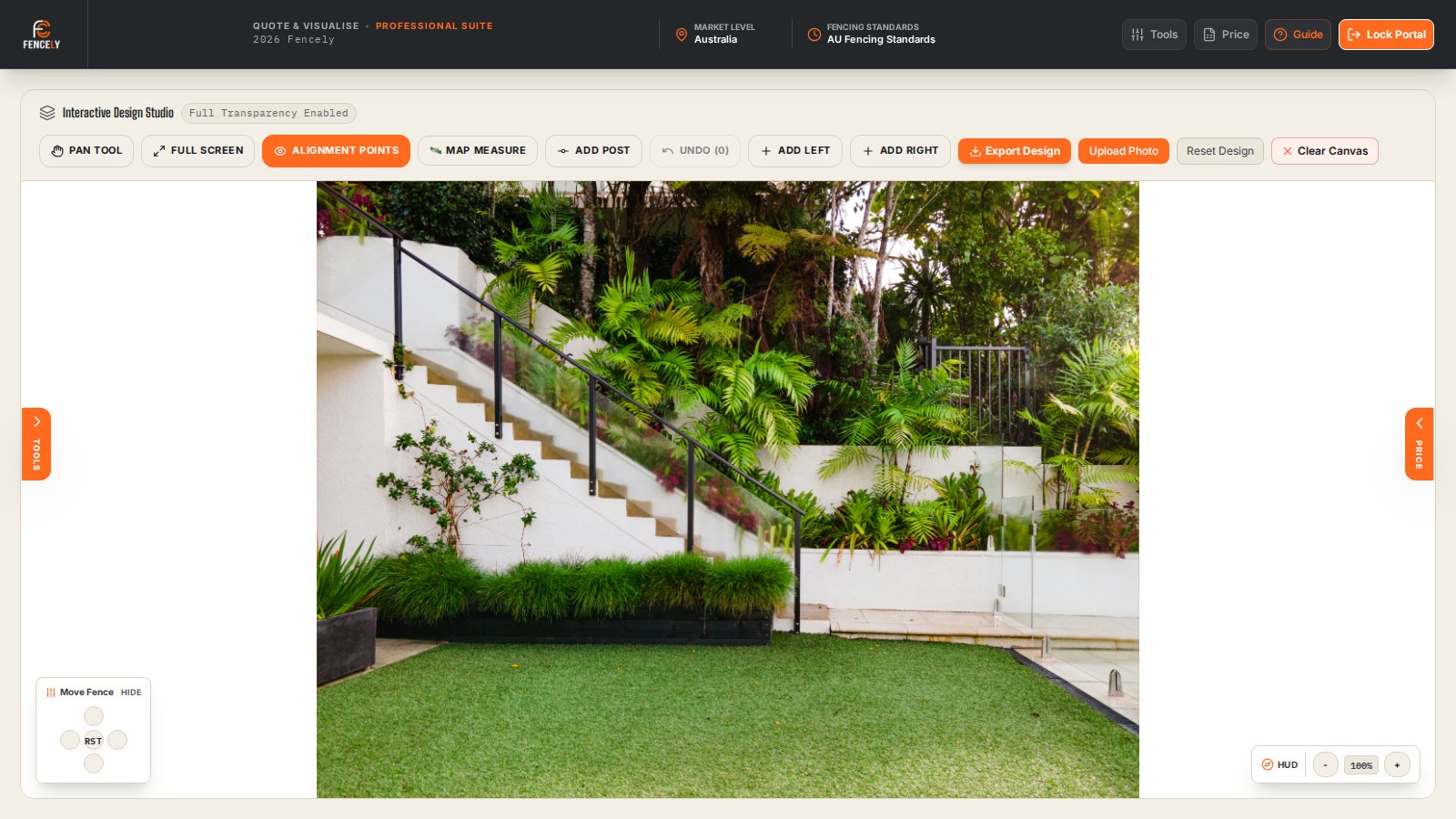
An empty Fencely canvas showing a freshly uploaded photo of a client's yard, ready to draw on.
02

Draw the fence

Trace the fence line right on the photo. Pick the Colorbond colour and height, drop in a gate, and watch the price update as you go.
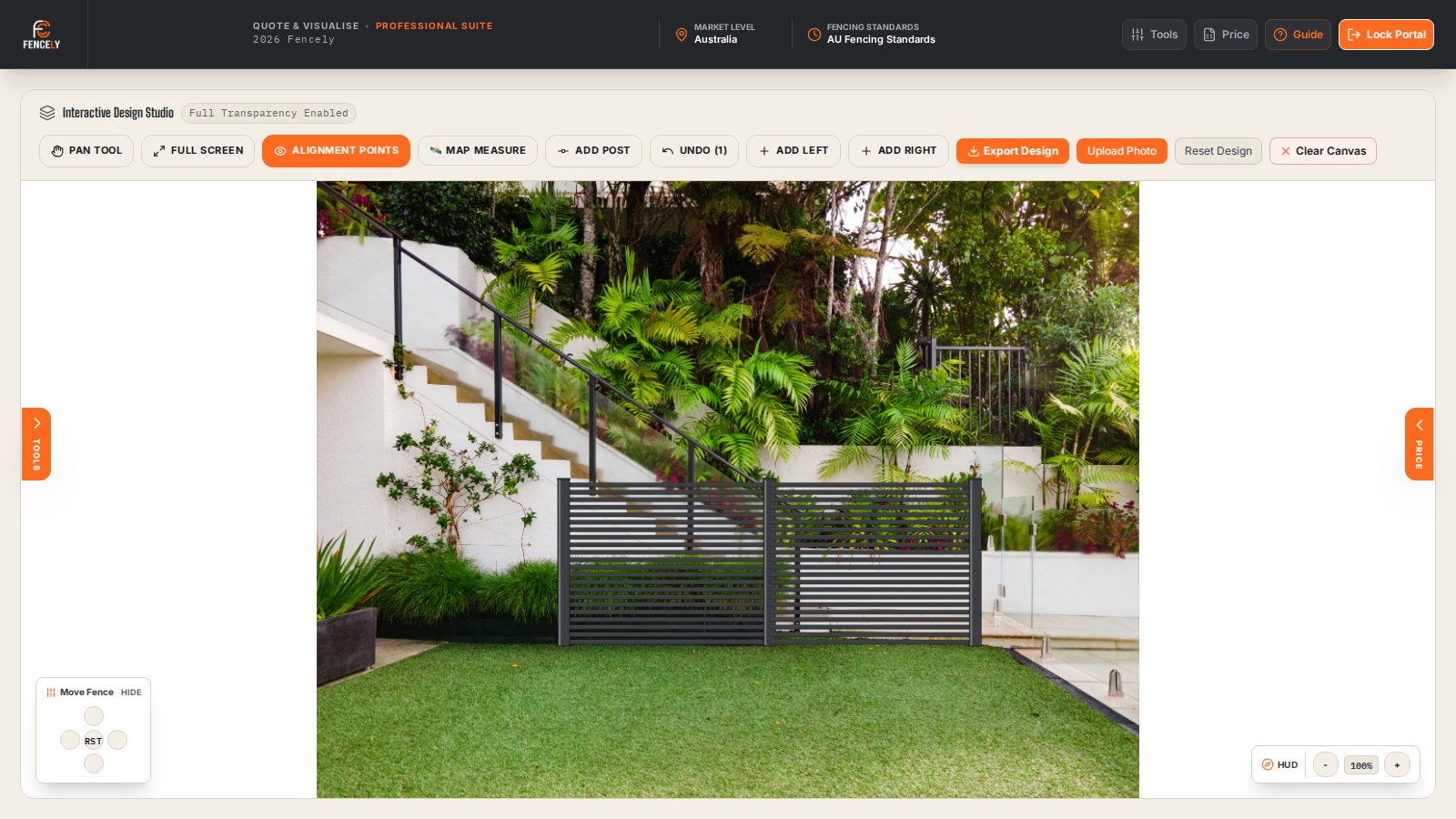
A fence drawn onto the yard photo with colour and height options selected and a gate added.
03

Send the quote

One tap turns the design into a branded PDF quote with a clear cost breakdown — ready to hand over or email before you leave.
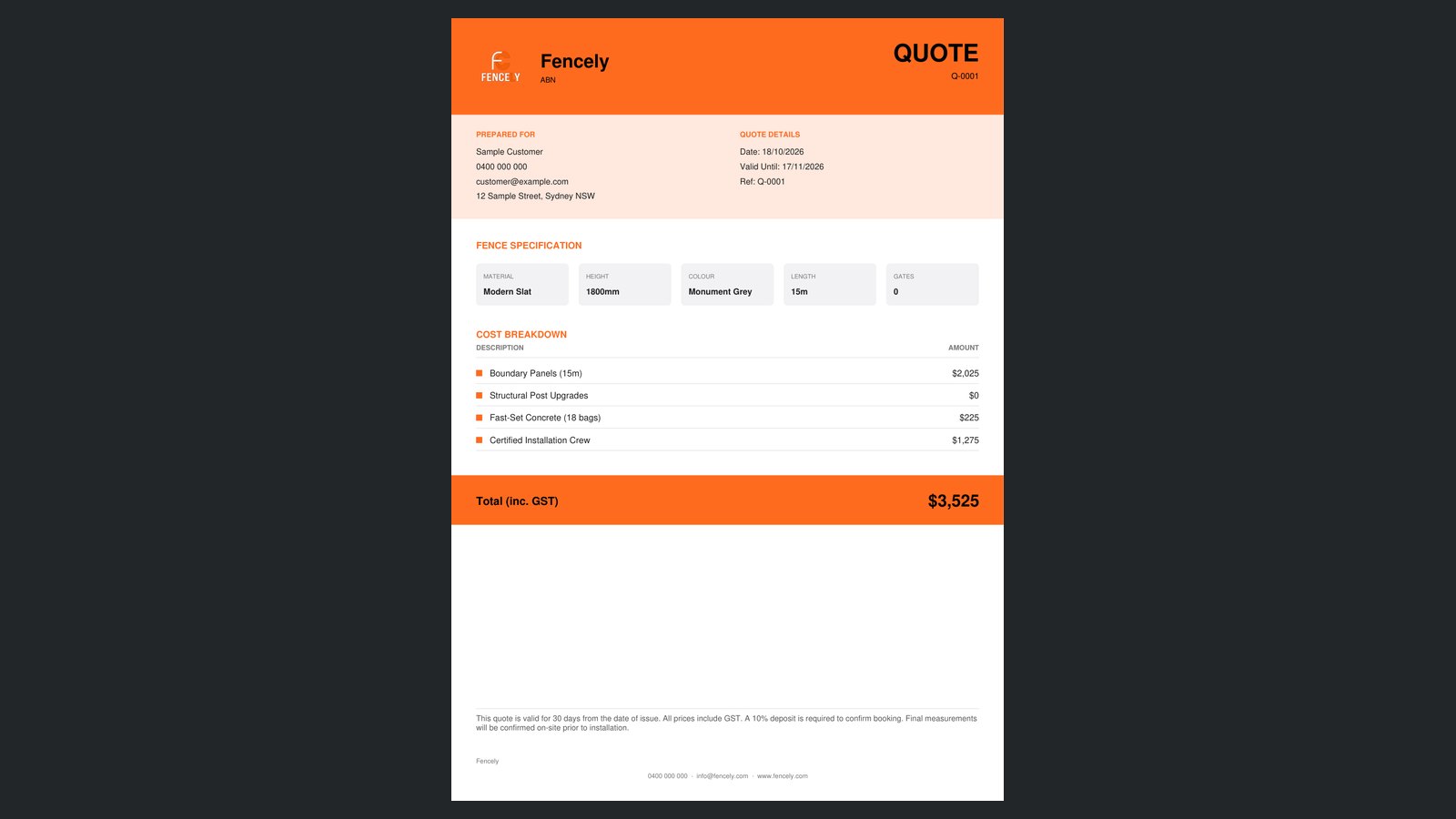
A branded Fencely PDF quote showing an itemised cost breakdown for the job.

From design to lead

Never lose another fence lead

One click on a finished design captures the client's details against the quote and saves it as a lead — so nothing falls through the cracks between the yard and the office.
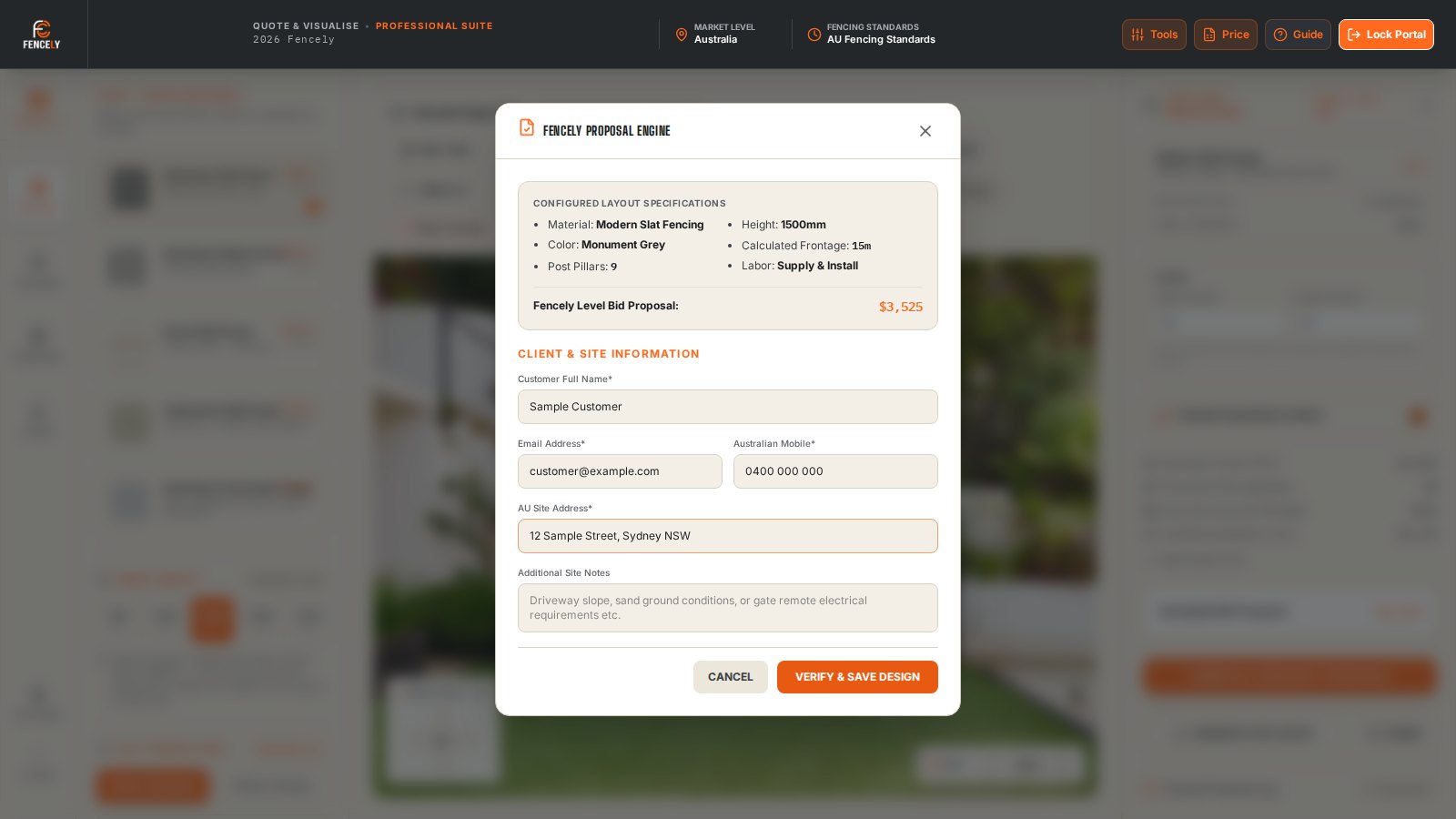
  • Client name, address and job details kept with the exact design they saw
  • Follow up later without re-typing a thing
  • Every quote you send is a lead you can win back
The Fencely proposal form capturing a client's contact and job details against a completed quote.

What's inside

Built for the yard, not the office

Real photo, not stock

Quote on an actual photo of the customer's yard, so they see their fence — not a generic mock-up.

Colorbond colours & heights

Switch between real Colorbond® colours and standard heights and watch the fence update instantly.

Gates that price themselves

Drop a gate into the run and it's costed automatically — no separate line items to remember.

Live pricing as you draw

The price ticks up the moment you draw a line, so there's a number ready before you've finished.

Satellite boundary measuring

Measure fence lines on satellite imagery when you can't get a clean photo on site. Live-map mode arrives at launch.

Branded PDF in one click

Generate a clean, itemised PDF quote with your logo on it — sent before you're back in the ute.

Roadmap

Today the quote. Next, the whole job.

Fencely is the fastest way to measure, show and price a fence. Next it becomes the place you run the job from, from first photo to final invoice.

Live now

Quote and show

  • Photo visualiser with 5 fence materials
  • Your own rate card, per material
  • Itemised, branded PDF quotes
  • Saved designs, photos and proposal log
Next

Ready to charge

  • Live satellite measuring
  • Automated daily backups
  • Online billing for plans
Then

Run the job

  • Customers and job pipeline
  • Scheduling
  • Deposits and simple invoicing
Later

See it in 3D, scale the team

  • 3D visualiser previews
  • Team roles and company branding
  • Xero / MYOB export

Planned items are not yet available and timing may change. Early-access customers help decide what comes first.

Pricing

Simple plans, flat per company

One flat price per company, not per user.

Starter
A$80/mo

For a solo fencer who wants fast quotes.

  • 1 user
  • Quote engine with 5 fence materials
  • Your own rate card
  • Photo visualiser and map measure
  • Branded PDF quotes and quote log
Request early access
Studio
A$200/mo

For a growing business.

  • 10 users
  • Everything in Pro
  • Team roles and company branding Coming soon
  • Xero / MYOB export, priority support Coming soon
  • Unlimited 3D renders (fair use) Coming soon
Request early access

Month-to-month · No lock-in · Prices in AUD, per company

Starter is live today for early-access customers. Items marked “Coming soon” are on our roadmap. Need your own branding? Custom builds from A$1,100.

FAQ

Questions, answered straight

Do I need to be good with computers?
No. If you can take a photo and draw a line with your finger, you can build a full quote. There's nothing to install and no manual to read — most people send their first quote within a few minutes.
What if my crew isn't techy?
Fencely was built for tradies, not office staff. It works on the iPad you already carry, the buttons are big, and the pricing is set up once so your crew just draws and sends. If anyone gets stuck, the founder will walk them through it personally.
Can I use Fencely on-site?
Yes — that's exactly what it's built for. Fencely is designed to be used standing in the client's yard on a tablet, so you can photograph the fence line, draw the design, and hand over a price on the spot — not back at a desk quoting from memory.
Does it work on mobile and tablet?
Fencely runs in your browser, so there's no separate app to download and you're always on the latest version. It's designed around the iPad or tablet you carry on site. It also opens on a phone, but drawing is easiest on a larger screen. Most crews quote on an iPad in the yard and pick it back up in the office.
Can my whole team use one account?
Yes. Your team shares one company account, and plans include 1 user (Starter), 3 (Pro) or 10 (Studio). Everyone works under the same account, so your quotes and leads stay in one place no matter who's in the yard.
Where is my data stored?
Your quotes, photos and client details are stored in a managed cloud database, and each company's data is kept separate from every other company's. You can open your work from any device you're signed in on. Automated daily backups are being added.
Can I cancel anytime?
Yes. Plans are month-to-month with no lock-in contract. Cancel whenever you like and you won't be billed again.
Do you set up my pricing and logo for me?
We can. Send us your rates and your logo when you sign up and we'll load them in for you, so the very first quote you send already has your prices and branding on it.

Quote the next job before you drive off

Early access is open to Australian fencing contractors. Tell us about your business and we'll load your rates and logo for you.

Request early access

Request early access

Tell us about your business and we'll be in touch, usually within a day.

or email info@fencely.site